

Golden Ocean Max X places members inside an underwater screen where creatures move across paths and carry point values. The version available through JILIMAC uses controls, weapons, and events that require accurate timing rather than random tapping. This guide is written for players, helping them understand the rules, room choices, shot selection, and match flow.
Getting to understand Golden Ocean Max X at JILIMAC
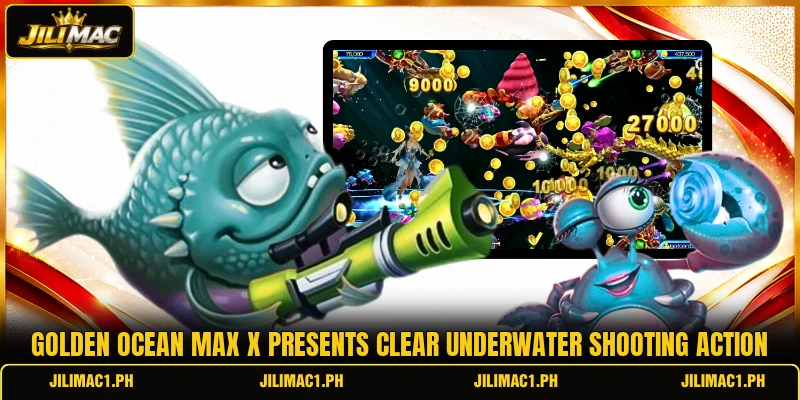
The game uses an ocean setting filled with small fish, large creatures, bonus targets, and temporary events that appear during active rounds. Players control a cannon near the screen edge, choose a firing level, and aim at targets before they leave the visible area. The main panel also displays the balance, current shot value, recent captures, and any active countdown affecting the round.
Each successful capture adds a value based on the selected weapon and the target shown, while missed shots still use the chosen stake. Golden Ocean Max X therefore depends on reading movement, selecting suitable targets, and changing weapon strength when screen conditions shift. A clear result notice confirms awarded points, helping members separate completed captures from hits that produced no recorded return.
How the mechanics and scoring system work
The interface combines aiming, firing, weapon adjustment, and result tracking in one screen, so members can follow each action without opening extra menus. Values may be shown in PHP or USD, depending on the selected account currency and room setting.
Golden Ocean Max X core rules
A round begins after the member enters an available room and selects a cannon level that matches the displayed stake range. Every shot uses the shown amount, and the projectile travels toward the chosen position rather than automatically selecting a target. Continuous fire may be available, but each projectile still counts separately and follows the weapon value shown beside the cannon.
A creature is counted only when the system confirms a capture, which may require one hit or several hits depending on its assigned value. Players should check the result indicator because visual contact alone does not always mean that points were awarded. When a capture succeeds, the screen normally shows an animation and adds the confirmed amount to the visible balance.
Target targets and weapon levels
Smaller targets usually move quickly and carry lower values, while larger creatures often stay visible longer and offer higher possible returns. Weapon levels change the amount used per shot, so the same target can cost more to chase with a stronger cannon. Multiplier labels or value icons help members compare creatures before choosing where to direct the next group of shots.
In Golden Ocean Max X, members can raise or lower the firing level before the next shot, allowing a different approach when target density changes. A PHP 10 room and a USD 1 room may use different limits, so the live table should always be checked. The adjustment button should be confirmed before firing because the new amount applies immediately to every following projectile.
Bonus entities and timed events
Special creatures can trigger extra rewards, area effects, or short event sequences when the required capture condition is reached. These targets may appear with brighter effects, larger models, or clear labels that separate them from regular movement. An event icon often shows the remaining time, giving members a direct reference for deciding whether another attempt can land.
View more: Kraken Storm Reloaded – Rules, Features And Play Guide
Timed events in Golden Ocean Max X can create crowded screens, limited attack windows, or temporary scoring changes that alter normal target priorities. Players should watch the countdown and avoid continuing the same firing pattern after the event has already ended. Once the timer closes, normal movement and standard values return, so the next shots should follow the regular screen conditions.

Ways to choose options and game rooms
Golden Ocean Max X works best when players connect each shot with visible target position, remaining screen time, and current weapon strength. Room selection also matters because stake limits, target speed, and available events can create different match conditions.
Reading target behavior patterns
Targets often enter from one side, follow a curved or straight path, and leave through another edge after several seconds. Members can improve accuracy by aiming slightly ahead of fast creatures instead of firing directly at their current position. Some routes change near the center, so early observation can prevent shots from following a target that suddenly turns away.
Inside Golden Ocean Max X, repeated paths provide useful information about where a target will move next, especially during crowded scenes. Shots placed near an expected crossing point can reach more clearly than late attacks aimed at the screen boundary. When several creatures overlap, choosing the clearest route reduces confusion and makes each projectile easier to track visually.
Matching cannons with targets
A low weapon level suits frequent attempts against common creatures because each miss uses a smaller amount from the displayed balance. Stronger levels fit selected targets when their size, route, and remaining screen time provide a clearer shooting chance. Crowded screens do not always require higher power because small targets may block the view and hide the intended path.
Players using Golden Ocean Max X should change cannon strength before starting a new target sequence rather than adjusting it during every single hit. This keeps the cost visible and makes the total amount used easier to follow during active rounds. A lock-on control, when shown, should be released after the chosen creature exits so later shots do not follow empty space.
Selecting suitable environment settings
Entry rooms may use lower amounts such as PHP 5 or PHP 10, while other tables can begin at PHP 50 or USD 1. Members should compare minimum shots, maximum levels, and event availability before choosing where to play. Room labels can also indicate speed or difficulty, providing useful details before the underwater screen opens.
In Golden Ocean Max X, a suitable room is one where the displayed firing range matches the member’s intended session size and control preference. New players may prefer lower limits while learning target routes, button positions, and the timing of special events. After understanding the interface, members can compare another table without changing the basic rules or losing familiarity with the controls.

View more Category: Fish
Conclusion
Golden Ocean Max X combines moving targets, adjustable weapons, score values, and timed events within a direct underwater shooting format. Members can review the controls and available PHP or USD rooms through JILIMAC before selecting a suitable table. Download the app, open the game, register an account, and good luck with every carefully chosen shot.