
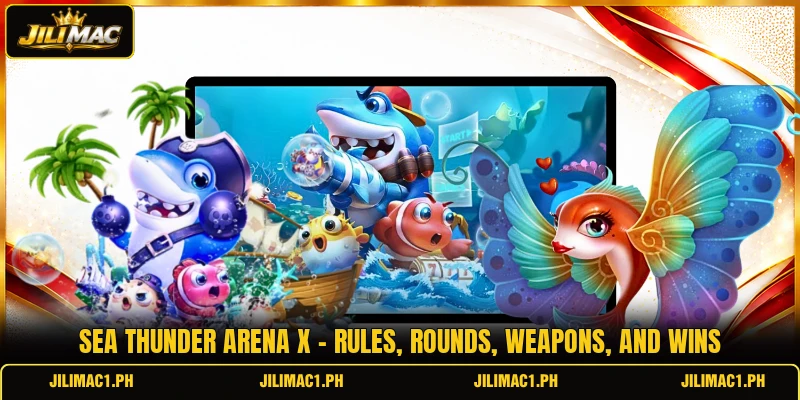
Sea Thunder Arena X places members in action rounds where targets move across the screen and each shot follows visible values. JILIMAC lists the title on its online betting platform, with PHP or USD based on the selected account currency. This guide is written for members who need clear rules, usable controls, and simple ways to read each round before joining.
How Sea Thunder Arena X structures each battle round
Each match presents moving targets, weapon controls, stake values, and timed events on one screen, so members can follow changes. Sea Thunder Arena X uses repeated movement patterns and changing target sizes to separate ordinary actions from higher-value opportunities. JILIMAC shows room, balance, and round status beside the field, allowing members to review details before selecting an action.
The game begins after a member chooses a room, confirms the currency, and checks the cost linked to each weapon level. Sea Thunder Arena X then runs continuous target waves, while points or returns depend on successful hits, target values, and active round conditions. Members should read every icon because special buttons, automatic fire, or lock functions may carry different costs during selected events.

Core rules that govern every active match
Every match follows displayed stake values, target movement, weapon strength, and event timers shown on the main interface. Sea Thunder Arena X should be read through visible rules rather than guesses about hidden patterns or guaranteed outcomes.
Starting each round correctly
Members first select an available room and confirm whether balances appear in PHP or USD before any paid action begins. A room may display costs such as PHP 10 or USD 0.20 per shot, although actual values depend on the screen. The selected weapon level must match the shown cost, since stronger settings can deduct a higher amount whenever the fire button is used.
Before shooting, members should inspect the target field, event timer, and remaining balance shown near the control panel. Automatic modes can send repeated shots quickly, while manual controls allow separate actions against chosen targets moving through different screen areas. This review reduces mistaken taps and helps members understand which feature is active during the current match.
How Sea Thunder Arena X evaluates targets
Target values normally appear through labels, symbols, or result notices that explain the return attached to a successful action. Larger targets may require more hits, while smaller moving objects can leave the screen before members complete enough accurate shots. Scores should therefore be judged through displayed values and confirmed results, not through size alone or assumptions based on earlier rounds.
Some rounds include temporary targets, linked bonuses, or event objects that remain active only during a visible countdown. Members should check whether these objects need direct hits, repeated contact, or a special weapon before committing several paid actions. Sea Thunder Arena X records completed results on screen, giving members a clear point for checking whether the target was settled correctly.
Using armaments and timed features
Weapons may differ by shot cost, firing speed, aiming style, or temporary effects shown beside their icons. A basic setting suits slow manual targeting, while stronger levels may cover busy waves at a higher PHP or USD cost. Members should change levels only after reading the updated deduction amount, because one tap can immediately apply the new rate.
View more: Fish Empire X Pro – Rules, Targets And Shooting Methods
Timed features can include automatic fire, target locking, screen effects, or short event periods with separate rules. Each feature should be activated after its duration and cost are understood, especially when repeated actions continue without another tap. Members can stop or switch the setting through the visible control, then confirm that normal firing has resumed before choosing another target.

Methods that improve sharpen and room choices
Good decisions come from reading routes, comparing room settings, and using controls that match the current wave speed. Sea Thunder Arena X is easier to read when members use visible information instead of unsupported claims about fixed winning patterns.
Reading waves ahead of taking action
Members can watch one complete wave before firing, noting where targets enter, turn, overlap, and leave the active screen. Repeated paths may reveal easier aiming points when several objects cross the same area during a short period. Sea Thunder Arena X becomes easier to follow when members focus on movement direction instead of chasing every target immediately.
A clear aiming area also helps reduce shots sent toward empty spaces after a target changes direction or disappears. Members should release automatic fire when the field becomes thin, then wait until a new group enters a predictable route. This method is based on visible motion and control timing, not on promises that any specific wave will produce a return.
Choosing a suitable game room
Room choice should begin with the listed shot cost, available features, screen speed, and balance currency shown before entry. Lower-cost rooms may use smaller deductions such as PHP amounts, while other settings can display USD values or higher action rates. Members should choose a room whose controls and speed remain easy to read throughout a full round.
Busy rooms may present more moving objects or faster changes, but extra activity does not guarantee better results. A calmer field can make manual targeting clearer, especially when members are learning weapon buttons, lock controls, and event notices. Switching rooms makes sense when rates, target speed, or interface layout no longer match the member’s preferred control method.
Reviewing results following each session
After a session, members should compare starting balance, ending balance, shot costs, and confirmed target results shown in the history panel. This review can identify which weapons produced unnecessary repeated shots and which target routes were easier to follow accurately. Sea Thunder Arena X may also display event records that help members separate normal actions from timed feature results.
Session records should be checked for completed settlements, currency labels, and any delayed result notice before another room is opened. Members can use these details to adjust weapon selection, avoid accidental automatic fire, and choose clearer target paths next time. A simple review ties later decisions to recorded actions rather than memory, assumptions, or claims about guaranteed winning sequences.

View more Category: Fish
Conclusion
Sea Thunder Arena X combines moving targets, weapon levels, timed events, and room settings within a direct round structure that members can read on screen. Members can access the title through JILIMAC, check whether the account uses PHP or USD, and review each visible cost before starting. Register, download the app, open the game, and use the displayed controls carefully during every round, with best wishes for good results.